
Don't forget to return to your survey
and get your discount!
How to Know When Stiiizy Battery Is Charged
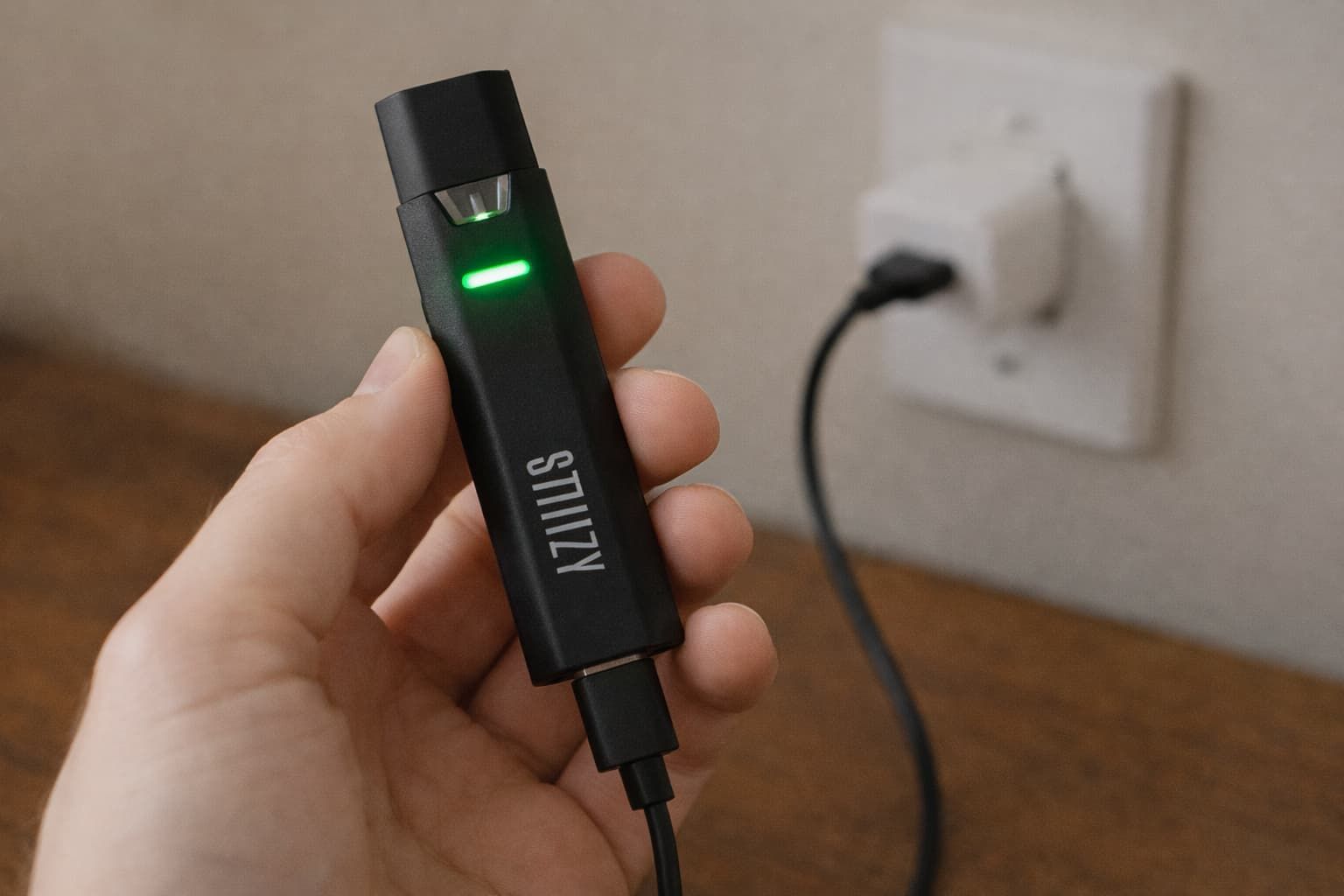
Stiiizy batteries are popular because they’re simple, compact, and easy to use, but many people still wonder how to know when a Stiiizy battery is charged. Unlike some vape batteries that display percentages or screens, most Stiiizy batteries rely on subtle light indicators, which can be confusing if you’re not familiar with how they work.
Knowing when your Stiiizy battery is fully charged matters for more than just convenience. Proper charging helps maintain consistent performance, reduces unnecessary battery wear, and can prevent common charging issues.
This guide breaks down how Stiiizy batteries charge and what to do if your battery doesn’t seem to be charging properly.
How a Stiiizy Battery Charges
A Stiiizy battery is powered by a rechargeable lithium-based cell. When you plug it into a compatible charger, the battery begins taking in power until it reaches its full charge level. After that, most devices stop actively charging and the indicator light changes behavior (often turning off).
Rechargeable lithium batteries wear down gradually with use. One widely cited benchmark is that lithium-based batteries commonly deliver about 300–500 full charge/discharge cycles before capacity drops below 80%.
That doesn’t mean your Stiiizy battery will suddenly fail at a specific number. It simply explains why charging correctly and avoiding unnecessary strain can help it perform better for longer.
READ: Stiiizy Battery Colors Meaning: How to Read Every Light on Your Device
Stiiizy Battery Light Meanings Explained
Your Stiiizy battery’s light is the main way to tell what’s happening during charging. While exact behavior can vary slightly by model, most Stiiizy batteries follow a similar pattern.
Light While Charging
When you plug your Stiiizy battery into a power source, the indicator light typically turns solid red. This means the battery is actively charging and drawing power. As long as the red light remains on, the battery has not yet reached full capacity.
If the light does not turn on at all, the issue may be related to the charger, power source, or charging port rather than the battery itself.
Light When Fully Charged
Once charging is complete, the indicator light usually turns off. On some models, the light may briefly change color before shutting off entirely. A light that turns off while still plugged in generally indicates that the battery is fully charged, not that it has stopped working.
This design can be confusing, especially for new users who expect a green light or a notification. With Stiiizy batteries, no light often means the charge cycle is complete.
Light Indicating a Problem
Certain light behaviors can signal an issue, such as rapid blinking or a light that never turns off after several hours. These patterns may indicate a charging error, a poor connection, or internal battery wear. If the light blinks repeatedly when plugged in, disconnecting the charger and inspecting the port is a good first step.
Quick reference:
- Solid red = charging
- Light off = fully charged (common on many models)
- Blinking/no response = troubleshoot charger, port, or battery condition
How Long Does It Take a Stiiizy Battery to Charge?
Charging time depends on the battery model and the power source you’re using. In general, small vape batteries charge relatively quickly.
A common guideline for vape pen batteries charged via standard USB is that many take about an hour, though it varies by device and setup. If your Stiiizy battery is taking much longer than normal (especially if it used to charge faster), the cable, adapter, power source, or battery age may be a factor.
Things that can affect charge time include:
- Charging from a wall adapter vs. a laptop USB port
- Using a worn-out cable
- Battery age and overall condition
- Whether the battery was fully drained or just topped off
Signs Your Stiiizy Battery Is Fully Charged
The clearest sign is the light behavior:
- If your battery’s charging light turns off while it’s still plugged in, that commonly indicates it’s fully charged.
You may also notice:
- More consistent performance after unplugging (stronger, steadier hits)
- The battery no longer feels slightly warm from charging (warm is normal; hot is not)
Once it’s fully charged, unplugging it is a good habit. This will reduce unnecessary time on the charger and help keep your routine consistent.
Common Charging Mistakes to Avoid
A lot of charging problems come from simple habits. Avoid these common issues:
- Leaving the battery plugged in long after it’s fully charged
- Using fast-charge or high-output phone adapters
- Charging with dust, lint, or residue inside the port
- Using bent, loose, or frayed charging cables
- Charging from unreliable power sources like cars or public USB ports
- Plugging the battery in at an angle instead of straight
- Charging in hot or humid environments
- Continuing to charge a battery that becomes unusually hot
What If Your Stiiizy Battery Won’t Charge?
If you plug it in and nothing happens, try this checklist:
- Switch power sources (try a different wall adapter or USB port)
- Try another cable/charger (a faulty cable is extremely common)
- Check and clean the charging port (remove lint/dust carefully)
- Inspect for damage (bent connectors, loose port, worn housing)
If the battery still won’t respond after trying multiple chargers and power sources, it may be time to replace it, especially if it’s older or has been heavily used.
Safety Tips for Charging Stiiizy Batteries
Charging your Stiiizy battery safely helps protect both the device and your surroundings. While these batteries are designed for everyday use, following a few basic precautions can reduce the risk of overheating, charging issues, or long-term battery damage.
- Charge the battery on a flat, stable, non-flammable surface
- Keep it away from water, moisture, and direct heat sources
- Avoid using damaged, loose, or non-compatible chargers
- If the battery becomes hot (not just slightly warm), unplug it and allow it to cool before use
- Do not leave the battery charging unattended for extended periods
Conclusion
Once you understand the light signals and typical timing, it’s much easier to know when your Stiiizy battery is charged. In most cases, a solid charging light means it’s charging, and when the light turns off, it’s usually done.
If anything seems off, a quick cable and power-source swap plus a port check solves a lot of issues. And with better charging habits, you’ll get smoother performance and fewer interruptions.
Frequently Asked Questions
How do I know when a Stiiizy battery is fully charged?
Most Stiiizy batteries show a solid red light while charging and turn the light off once fully charged. If the battery is still plugged in and no light is showing, it usually means charging is complete. A fully charged battery should also deliver consistent vapor when used.
How long does it take for a Stiiizy battery to charge?
Most Stiiizy batteries take about 45 to 90 minutes to fully charge. Charging time can vary based on the power source and battery condition. Using standard USB power usually provides the most reliable results.
Why does my Stiiizy battery blink when I hit it?
Blinking usually indicates a connection issue, low battery, or a safety cutoff. This can happen if the pod isn’t seated properly or the battery needs to be charged. Removing and reinserting the pod often resolves the issue.
Does Stiiizy replace battery?
Stiiizy batteries are generally not repairable, but replacement options may be available depending on the retailer and warranty policy. Some authorized sellers offer exchanges for defective batteries within a limited timeframe. Always check with the retailer where the battery was purchased.
Do Stiiizy batteries go bad?
Yes, Stiiizy batteries can wear out over time due to regular use and repeated charging. As the battery degrades, you may notice shorter battery life or charging issues. Replacing the battery is usually the best solution once performance declines.
Don't forget to return to your survey
and get your discount!
SHARE